Throughout college I've grown a better understanding of the basics of game building through Unity and have created both 3D and 2D functioning games.
My Work

Background and Plot:
"Gifts for Ghosts" is a cozy trade-request puzzle game. The plot is that you are a college student who just returned home for break only to find out that your town has become haunted and it's affecting some of the locals. You also figure out you are the only one who can see and talk to them. You must appease the ghosts and save the town while getting to learn more about where your character came from. The goal of the game is to explore the town, talk to townsfolk, collect items and appease the ghosts, therefore stopping them from haunting the town.
This is both a passion project but also for my Individual Game Project (the big finale project for Junior and Senior year of college) for my major that I started creating in September 2024. Because of that, the first thing we were asked to develop is a basic tutorial and to prioritize getting the code and functionality down before visuals. Now, for both school and on my own time, working to expand the game both visually and functionally and add new "level's" in the form of stages since this is a non-linear game.
This entire game has been coded and designed by me within Unity.
Mechanics and Functionality:
The game will be played using keyboard and mouse controls. You need to complete the tutorial level before the 5 minutes runs out (5 minutes to allow for exploring and make things easy for the tutorial while still introducing people to the timer functionality).
To move around you use the WASD keys and look around with the mouse. Right-Click for picking up items and using them once they have been equipped. Left-Click for talking to NPC's. Use the 1-7 keys to select different item-slots in your toolbar, and click E to equip the item within that selected slot. To open your inventory click I, when this happesn the screen will freeze and your cursor will unlock, allowing you to move your mouse around and move items into or out of your inventory. Right now the same items stack to 5 within a slot.
Videos
Basic Gameplay
Background and Plot:
The Dragons Keep is a 2D platformer game I built in my first semester of college, and have been growing bit by bit the more I learn. The premise right now is that you play as a humanoid creature who has been sent on a quest by your ruler to track down the dragon who stole all of the royal jewels and collect any lost gems along the way. The game so far includes two completed levels with which all the coding and asset designs I created myself. When I first made The Dragons Keep, there was a big focus on the art aspects, from environment and sprite designing, to the animations and even making background music for the levels. The better I get at game creation and coding, the more I plan to improve the game. I have a made plans to expand and fleshout the story, and have already begun working on a following levels beyond just the two.
Mechanics and Functionality:
Move around by using the WASD Keys and jump to collect coins by pressing the spacebar. Dodge obstacles and moving enemies, ride moving platforms across parts of the levels, and try to make it to the horned statues that light up and save your progress. You will need a certain number of a certain type of gem to give to the Gatekeeper, the snake statues, to proceed to the next level.
Videos
Level 1 Gameplay
A clip with audio to show off the starting gameplay, double jump, checkpoint statues, sounds and music.Level 1 End
The end of Level 1 to show you the Gatekeeper mechanic and how to progress to the next level.Level 2 Gameplay
A bit of Level 2 showing a few new enemy mechanics (rising spikes) and bonus abilities (speed boost).Trailer
Gallery


3D Creations
Most of my experience is with 2D, but I have begun the journey into learning how to make 3D videogames.
Countdown Leapfrog
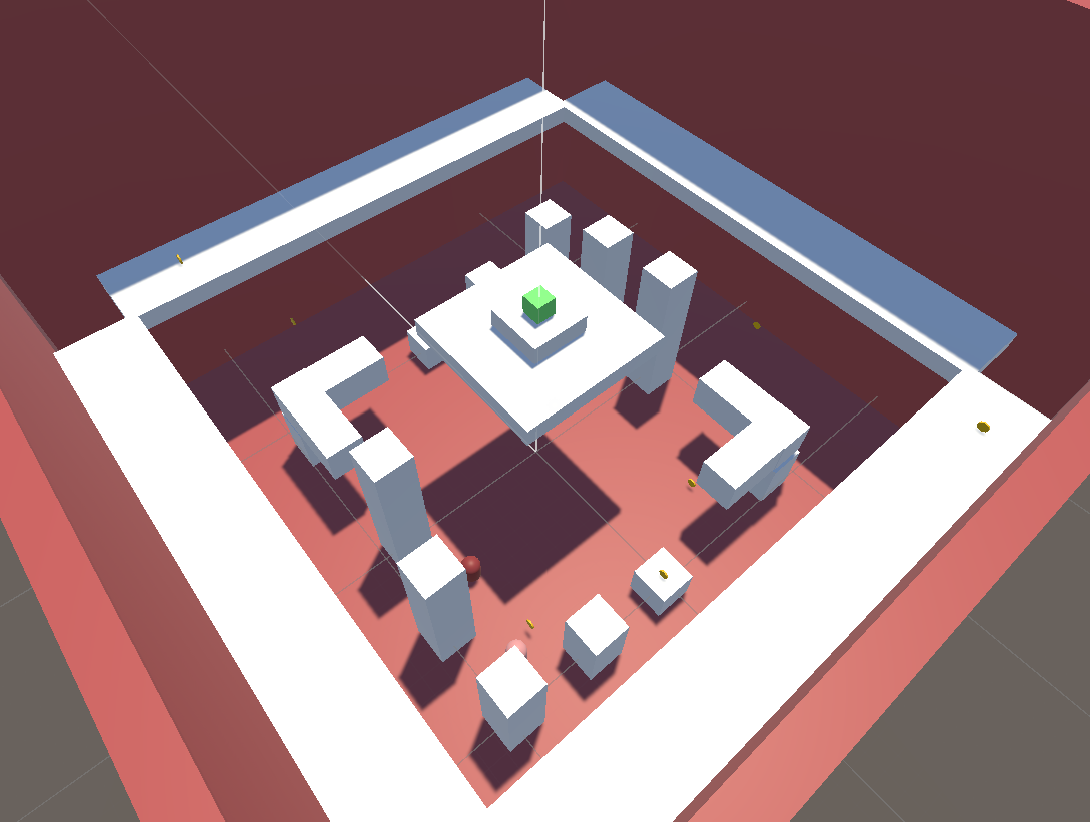
A multiplayer minigame where you play against a friend on the same keyboard to see who can gain the most points in 60 seconds. You are put into a big arena with obstacles and pillars to jump on, to win you must collect 10 points before the other player does and the timer runs out. You can collect points by picking up any of the limited number of coins the other player has't taken yet, or by jumping over the other player fully without interference. If either of you win the game will end with "You Won!", and if the time runs out before either of you can hit 10 points, you both lose. to add an extra layer of challenge, you can't see the timer once the game is in play.Shooter
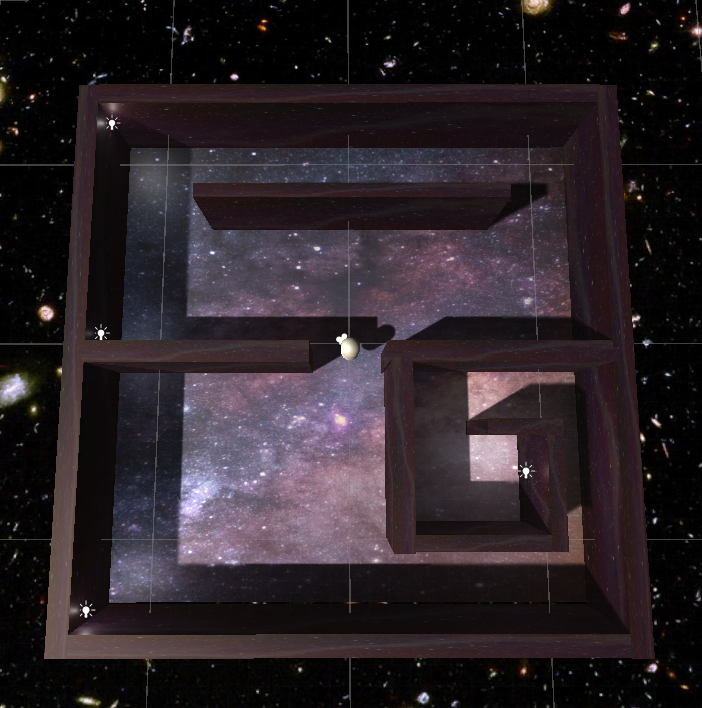
This is a shooter game prototype where you move around a little maze like arena and need to dodge the fireballs the wandering enemy will shoot at you if they see you. You can kill the enemy by aiming your crosshair and right clicking. However, not only will the enemy respawn, but they change color and shape everytime. Sometimes they will be a big, bright and easy target, and other times they will be small, hidden and hard to shoot. There is currently no way to win the game and it has a lot of little bugs, but the main movement and shooting mechanics work.